Become Master in Digital Marketing!
Enroll Now

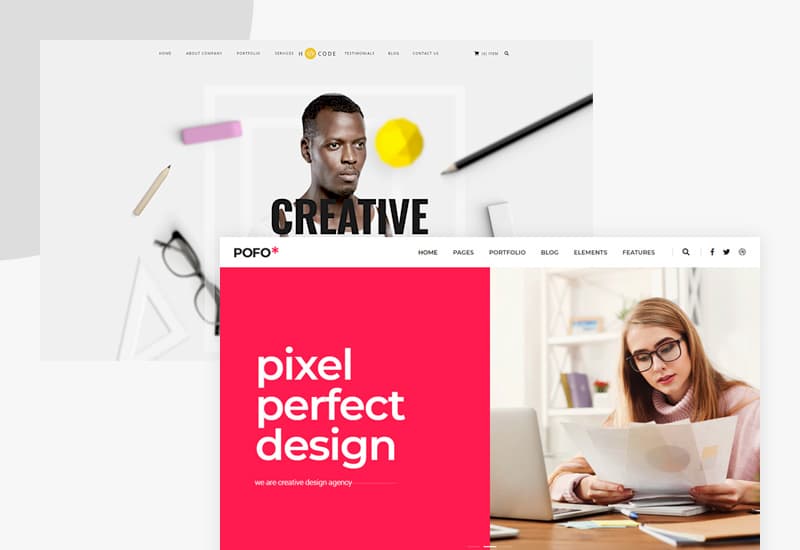
Ever landed on a website and instantly felt confused, not knowing where to click, what to read, or how to find what you came for? That’s poor UX/UI design in action. Now flip the scenario. You visit a site, and everything just flows. It looks beautiful, loads fast, and helps you get what you want without thinking too hard. That’s great UX/UI design, and when it comes to WordPress websites, it’s everything.
Let’s break it down in simple words and explore how UX/UI design and WordPress work hand-in-hand to create websites people actually enjoy using.
What is UX and Why Should You Care?
UX stands for User Experience, and it’s all about how people interact with your website. From the moment someone visits your homepage to the time they fill out a form or make a purchase, that whole journey falls under UX. Think of it like this: if your website were a shop, UX is the layout, the signage, the staff, and even the speed at which customers get help. A good UX makes visitors feel like the website “gets them”.
Key elements of good UX include easy navigation, logical content layout, fast loading speed, accessibility for everyone (including users with disabilities), and clear paths to action like signing up or buying something. In short, UX is about function with empathy.
Take Airbnb as a real-world example. When you land on their website, you’re immediately greeted with a simple search bar asking where you want to go, when, and how many guests. Nothing fancy, nothing confusing. Just what you need, right when you need it. That’s intentional UX design. They even show you listings with a side-by-side map view so you can see locations and prices in one glance. This saves you from opening multiple tabs and getting frustrated. The result? You actually want to use the site.
Another great example is Instacart, the grocery delivery service. Their website mirrors what you’d experience in a physical store, with virtual aisles and categories organized just like you’d find in real life. This matches users’ existing mental models, making the interface feel instantly familiar and intuitive. You don’t need to learn a new system because your brain already knows how grocery shopping works.
What is UI and Why is it So Appealing?
UI stands for User Interface, and it’s more about how things look and feel. It’s the colors, fonts, icons, buttons, and overall vibe of the website. If UX is the shop layout, UI is the window display, the paint on the walls, and the friendliness of the menu.
A great UI includes visually pleasing design, consistent colors and branding, readable typography, eye-catching but functional buttons, and interactive elements that make browsing fun. A beautiful website without good UX might look good but feel frustrating. A functional site without UI can be boring. You need both.
Look at Netflix as an example. They use a black background that makes colorful thumbnails pop out on screen. The interface is clean, and the content you see is personalized based on what you’ve watched before. This isn’t just pretty design; it’s purposeful UI that keeps users engaged and helps them find something to watch quickly. Instagram follows similar principles. Most of the screen space is dedicated to visual content (photos and videos), with minimal clutter. The visual hierarchy is so well-balanced that users can scroll for hours without feeling overwhelmed.
How Does This All Connect with WordPress?
WordPress gives you the canvas to build any kind of website, whether it’s a blog, a business page, or an online store. But without good UX/UI design, even the most powerful WordPress site can fall flat.
Here’s how WordPress and UX/UI come together. First, themes and templates provide the visual foundation (UI). Picking the right theme means half the UI job is done. Themes like Astra, OceanWP, and Hello are known for being fast and clean, which contributes to good UX from the start. Second, plugins help implement UX features like faster loading, mobile responsiveness, and better navigation. For example, WP Rocket helps with caching and lazy loading, which speeds up your site dramatically. Third, page builders like Elementor or Gutenberg allow designers to craft intuitive layouts that work great on both desktop and mobile.
WordPress provides you with the tools, but it’s UX/UI design that decides how effectively you use them. You could have the most feature-rich WordPress site in the world, but if visitors can’t figure out how to navigate it or if it takes forever to load, they’ll leave before they even see what you offer.
Are Website Design and Development the Same Thing in WordPress?
Great question, and no, design and development are not the same. Let me explain the difference.
WordPress Website Design focuses on how the website looks and feels. It involves choosing layouts, colors, typography, and ensuring smooth user flow. Tools used include Photoshop, Illustrator, and page builders like Elementor. Designers might use some basic HTML/CSS, but it’s not mandatory.
WordPress Web Development focuses on how the website functions under the hood. It involves writing and tweaking code using HTML, CSS, JavaScript, and PHP. Developers ensure the site is responsive, secure, and performs well. They bring the designer’s vision to life.
Think of it like this: designers create the blueprint (the look and feel), while developers are the builders who bring that blueprint into reality. And yes, in many small projects, one person may do both. But understanding the difference helps you know what skills you need for your WordPress project.
For instance, let’s say you want a portfolio website. A designer would create mockups showing what each page should look like, where images go, what colors to use, and how buttons should appear. Then a developer takes those mockups and writes the code to make everything work properly across different browsers and devices. The designer makes it beautiful; the developer makes it functional. Both are essential.
Building Better WordPress Sites: Practical Tips
Now that we understand the theory, let’s talk about practical ways to improve UX/UI on your WordPress site.
Start with Speed Optimization
Google reports that best practice is to keep loading times at three seconds or less. Pages that take five seconds or more have drastically increased bounce rates. Use caching plugins like WP Rocket or WP Super Cache to generate static HTML files and reduce server load. Optimize your images with tools like Imagify, and enable lazy loading so images only load when users scroll to them. Compress files with GZIP and use a Content Delivery Network (CDN) for faster global delivery.
Choose the Right Theme
Look for themes that are mobile-responsive, SEO-friendly, and offer customization options without being bloated. Themes should align with your website’s purpose and audience. A theme designed for creative agencies will look very different from one designed for finance brands. Test the theme’s demo to see if it has pre-built templates and block patterns that match your needs.
Simplify Navigation
Keep your website’s menu clear and easy to follow. A clean, well-structured navigation not only helps visitors find what they need quickly but also makes it easier for search engines to understand your site’s structure and content. Include only the most important pages in your main menu (services, products, case studies, resources, pricing, contact). Use descriptive labels instead of vague terms like “Products” or “Solutions”. For example, instead of “Services,” list actual service names like “Web Design” or “SEO Consulting”.
Prioritize Mobile Responsiveness
Since most people browse from their phones, make sure your website looks and functions perfectly on all screen sizes. Test your site on smartphones and tablets to confirm everything displays correctly and loads quickly.
Focus on Accessibility
Add descriptive alt text to your images so everyone, including users with visual impairments and search engines, can understand your content better. Use proper headings to organize content so screen readers can navigate easily. Choose readable fonts with appropriate sizes and spacing. Ensure sufficient color contrast between text and backgrounds. These practices make your site usable for everyone, including people with disabilities.
Keep Content Readable
Write in short paragraphs using active voice and conversational tone. Use bullet points, visuals, and quotes to break up big blocks of text. Content that’s easy to read keeps people engaged longer, which also helps with SEO.
Real-world examples show the impact of these practices. Walmart’s e-commerce site uses minimal color themes (white background, blue foreground) and organizes product images and information to load instantly. Their navigation menu is simple and positioned in the most convenient spot for quick checkout. PayPal’s website features stunning footage and maintains design harmony throughout, creating a welcoming user experience. Pho Cafe, a Vietnamese restaurant, displays important information prominently on their homepage, including menu items, reservation options, and delivery services, so visitors never struggle to find what they need.
A Quick Side Note: Understanding Meta Ads, PPC, and SEM
Since a lot of WordPress websites are created with promotion and marketing in mind, it’s worth clearing up these terms.
Meta Ads—which cover advertising on platforms like Facebook and Instagram—are indeed a form of PPC (Pay-Per-Click) marketing.
In simple terms, you’re charged only when someone actually clicks on your ad. But SEM (Search Engine Marketing) is a broader term. It includes paid ads like Google Ads and Meta Ads, as well as organic strategies like SEO to rank without paying per click.
So Meta Ads are under the PPC umbrella, and PPC is a part of SEM. SEM encompasses all activities involved in promoting a website on search engine results pages (SERPs), both organic and paid. The goal of SEM is to increase website visibility, generate more traffic, and improve search engine ranking. PPC specifically focuses on driving traffic through paid advertising by bidding on keywords.
Understanding this distinction helps when you’re planning your WordPress site’s marketing strategy. You might use SEO to attract organic traffic through well-optimized content, while simultaneously running PPC campaigns to drive immediate traffic to specific landing pages.
Page Builders: Elementor vs. Gutenberg
When building your WordPress site, you’ll likely choose between Gutenberg and Elementor.
Gutenberg serves as WordPress’s built-in block editor, launched in 2018. While it’s great for basic layouts and streamlined content editing, it doesn’t offer the same level of creative freedom that specialized page builders provide. In contrast, Elementor is a visual tool designed for users who want to craft websites without touching code.
With its drag-and-drop interface, you can arrange and customize page elements exactly where you want them. Elementor stands out for its detailed design capabilities, which is why it’s a top pick for building professional sites like business pages, engaging landing pages, and fully featured online stores.
It’s built into WordPress, lightweight, fast, and great for writing and basic page layouts. It uses a block-based system where you add content elements like text, images, buttons, and videos by inserting blocks. Gutenberg is completely free and compatible with most themes and plugins.
It includes pre-built templates and widgets that save time. The downside is that Elementor can slow down your site if not optimized, and some advanced features require the Pro version.
Which should you choose? If you want a lightweight, no-frills editor for content-focused websites or blogs, go with Gutenberg. If you want full creative control and don’t mind installing a plugin, choose Elementor. Many professionals use Elementor for main pages that need to be visually attractive, while using Gutenberg or the theme for everything else. This hybrid approach balances design flexibility with performance.
Final Thoughts
That’s UX and UI in Action – It’s the perfect example of how user experience (UX) and user interface (UI) come together to create a smooth, enjoyable interaction for visitors.
Your WordPress site is only as powerful as the experience it delivers and the interface it presents. A fast, beautiful site with clear navigation? A site built on a strong platform like WordPress? That’s smart. Combine them both? That’s how you win online.
Whether you’re designing your own WordPress site or hiring a professional, don’t overlook UX/UI. Because at the end of the day, design isn’t just what it looks like. That’s how it works. Users don’t care about fancy features if they can’t figure out how to use them. They want sites that are intuitive, fast, and helpful.
The best websites anticipate user needs and guide them effortlessly toward their goals. They load quickly, display beautifully on any device, and make every click feel natural. When you prioritize UX/UI in your WordPress website, you’re not just making something pretty. You’re creating an experience that builds trust, encourages engagement, and drives results.
So whether you’re building a blog, a portfolio, an eCommerce store, or a business site, remember that great design is the secret sauce. WordPress gives you the ingredients, but it’s up to you to mix them in a way that serves your audience. Focus on the user, optimize for performance, and create interfaces that feel as good as they look. That’s the recipe for a truly great WordPress website.
Contact Us to make your design soo elegant!!
Citations:
-
https://websitespeedy.com/blog/improve-wordpress-ux-and-performance/
-
https://www.easywp.com/blog/exceptional-user-experiences-wordpress-ux/
-
https://www.geeksforgeeks.org/blogs/difference-between-ui-and-ux-design/
-
https://www.interaction-design.org/literature/article/ux-vs-ui-what-s-the-difference?srsltid=AfmBOoobRNjZKXaMUMg-fUmVp4GrLcdGrmD6elC4GhXOUmNoyH_TQ5_l
-
https://www.americaneagle.com/insights/blog/post/ux-principles-for-wordpress-success
-
https://www.wpbeginner.com/beginners-guide/how-to-improve-user-experience-in-wordpress/
-
https://blog.hubspot.com/website/ux-design-examples
-
https://www.guvi.in/blog/ui-ux-design-examples/
-
https://userguiding.com/blog/good-ux-examples
-
https://www.interaction-design.org/literature/article/ux-vs-ui-what-s-the-difference
-
https://maze.co/blog/ui-vs-ux/
-
https://www.mastersindatascience.org/learning/difference-between-ui-and-ux/
-
https://www.figma.com/resource-library/difference-between-ui-and-ux/
-
https://www.psdtohtmlninja.com/blog/top-ui-website-design-examples
-
https://www.justinmind.com/ux-design/examples
-
https://reallygooddesigns.com/wordpress-website-examples/
-
https://www.wpbeginner.com/showcase/excellent-wordpress-website-examples/
-
https://www.wpexplorer.com/ux-best-practices-wordpress/
-
https://www.krishaweb.com/blog/best-wordpress-website-examples/
-
https://www.multicollab.com/blog/wordpress-ux/
-
https://www.wpallimport.com/elementor-vs-gutenberg/
-
https://www.wpzoom.com/blog/how-to-choose-wordpress-theme/
-
https://wedevs.com/blog/504058/gutenberg-vs-elementor-which-one-is-better/
-
https://www.elegantthemes.com/blog/wordpress/how-to-choose-a-wordpress-theme
-
https://wpastra.com/comparison/gutenberg-vs-elementor/
-
https://kinsta.com/blog/gutenberg-vs-elementor/
-
https://wisernotify.com/blog/optimize-wordpress-theme/
-
https://wpengine.com/resources/improve-wordpress-site-speed/
-
https://wp-rocket.me/blog/guide-to-page-speed-optimization-for-wordpress/
-
https://blog.hubspot.com/website/easy-steps-to-speed-up-your-wordpress-site
-
https://www.wpbeginner.com/wordpress-performance-speed/
-
https://wpengine.com/resources/wordpress-web-design-tips-and-best-practices/
-
https://www.browserstack.com/guide/wordpress-speed-optimization-plugins
-
https://belovdigital.agency/blog/how-to-choose-the-perfect-wordpress-theme-for-your-brand/
-
https://www.dreamhost.com/blog/how-to-pick-wordpress-theme/
-
https://wpengine.com/blog/dos-donts-wordpress-theme/
-
https://www.blendb2b.com/blog/website-navigation-best-practice
-
https://www.wix.com/blog/website-navigation-tips
-
https://userway.org/blog/website-navigation/
-
https://thegood.com/insights/website-navigation/
-
https://www.orbitmedia.com/blog/website-navigation/
-
https://www.nngroup.com/articles/menu-design/
-
https://mycodelesswebsite.com/ux-website-examples/
-
https://keepersdigital.com/the-difference-between-sem-and-ppc/
-
https://localiq.co.uk/blog/are-sem-and-ppc-the-same-thing
-
https://rankz.co/blog/seo-vs-sem-vs-ppc/
-
https://searchengineland.com/guide/what-is-paid-search
-
https://advertising.amazon.com/library/guides/search-engine-marketing
-
https://www.linkedin.com/pulse/seo-vs-sem-ppc-key-differences-pros-cons-winning-xlwof
-
https://oceanwp.org/blog/elementor-vs-gutenberg-which-is-better/
-
https://wpmet.com/gutenberg-vs-elementor/
-
https://crocoblock.com/blog/gutenberg-vs-elementor/
-
https://wordpress.com/go/web-design/homepage-design-examples/
-
https://wpswings.com/blog/wordpress-theme-selection/
-
https://www.eleken.co/blog-posts/good-ux-examples
-
https://userpilot.com/blog/ux-design-examples/
-
https://developer.wordpress.org/advanced-administration/performance/optimization/
-
https://maze.co/collections/ux-ui-design/ux-examples/
-
https://webkul.com/wordpress-speed-optimization-services/